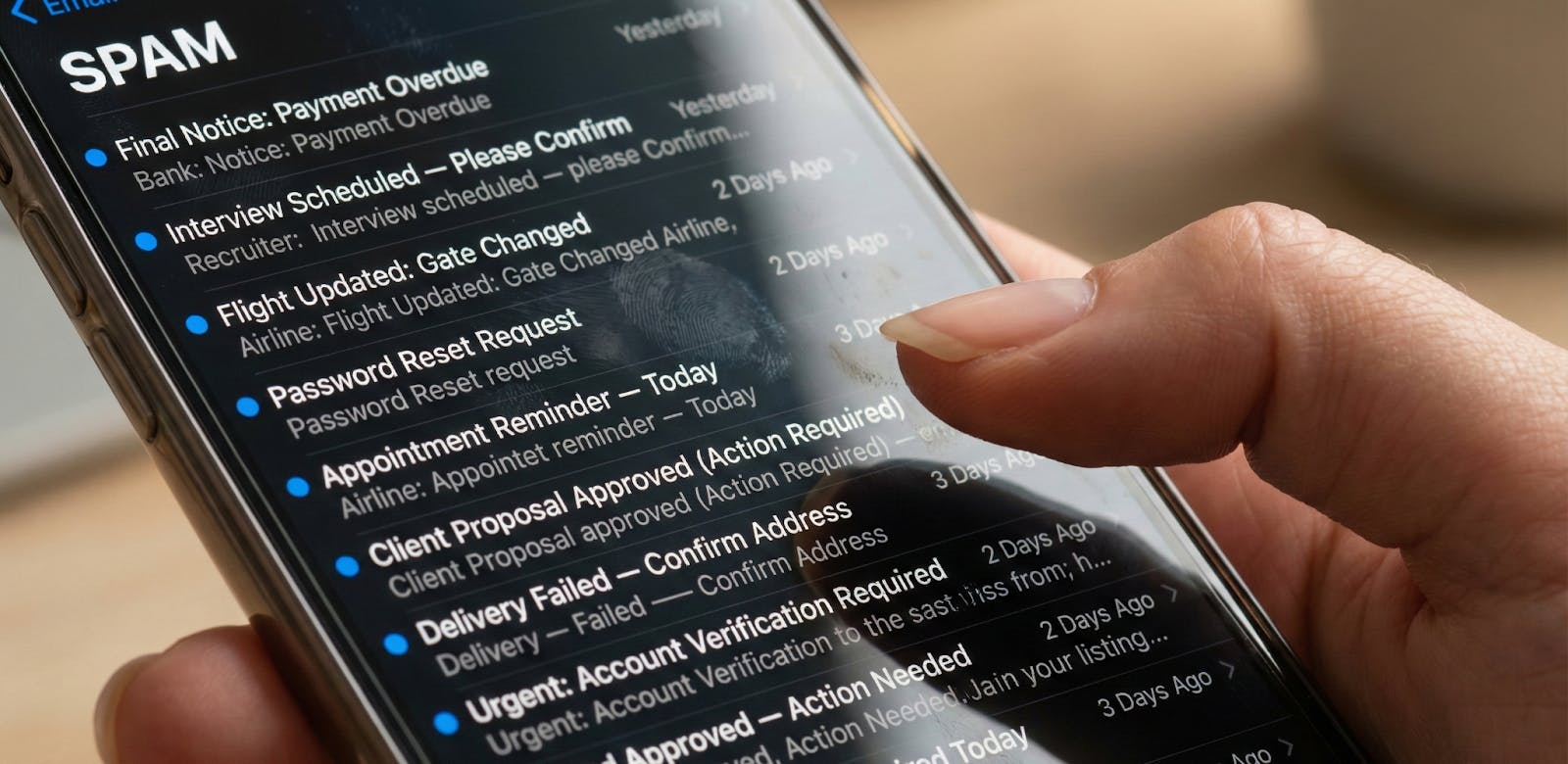
Spam Trigger Identification in Campaigns
February 25, 2026
Email has a weird superpower: it can look “fine” on the dashboard while quietly getting buried alive. One week you’re feeling confident, the next week revenue feels soft, replies dry up, and the only people seeing your campaign are the ones who go spelunking in spam.
To ensure your message reaches the intended inbox, it's crucial to go beyond basic delivery and focus on inbox placement. That’s not bad luck, that’s a signal.
Spam trigger identification is how we stop guessing and start diagnosing. We’re not hunting for one forbidden word like it’s a horror movie and “FREE” is the villain. We’re looking for the mix of patterns that mailbox providers read as risky, annoying, or misleading.
Here’s the good news: most spam placement problems are fixable. Here’s the annoying news: the fix is rarely “rewrite the subject line” and call it a day. If we want stable inbox placement, we have to treat deliverability like a system, not a single tweak. Writing winning email subject lines is your key to the inbox.
What “Spam Trigger Identification” Means in Campaigns
Spam trigger identification means finding the specific signals that push your emails into spam (or out of the inbox). Those signals aren’t just copies; they can come from your links, your HTML, your sending cadence, your list quality, and your email authentication. Think of it less like a rulebook and more like a trust score that gets updated with every send.
Mailbox providers don’t care that we’re “a real brand” with “good intentions.” They care whether recipients act like they want your emails, and whether your sending behavior looks consistent and credible. That’s why the same campaign can land in the inbox for Gmail and hit spam at Outlook, or vice versa.
We also need to separate “delivered” from “placed.” Delivered means the receiving server accepted the email, which includes emails sent straight to spam.
Inbox placement is what we actually care about, and it usually breaks down into Inbox, Promotions, and Spam. Optimizing your email content to avoid spam triggers and improve deliverability is essential for better inbox placement.
The goal isn’t perfection, it’s clarity. We want to pinpoint what’s hurting placement, remove the riskiest triggers, and rebuild trust without torching performance. If we do it right, we end up with a repeatable process instead of a monthly panic.
Understanding the Impact of Email Spam on Email Marketing
When your emails land in the spam folder, it’s like shouting into a void; no matter how compelling your offer or how beautiful your design, your message never reaches the recipient’s inbox.
For email marketers, this is more than a minor annoyance; it’s a direct hit to the heart of your email marketing strategy. Every time an email is flagged by spam filters, your chances of connecting with your audience shrink, and so do your open rates, click-through rates, and conversions.
The ripple effect doesn’t stop there. Each spam complaint chips away at your sender reputation, making it even harder for future emails to dodge the spam folder.
Over time, repeated run-ins with email spam triggers, like spam words, misleading subject lines, or poor formatting, can turn a healthy list into a graveyard of unengaged subscribers. Even legitimate emails can get swept up in the dragnet if your reputation takes a hit.
That’s why understanding the impact of email spam is essential for anyone serious about email marketing. It’s not just about avoiding a few “bad” words; it’s about recognizing how every element of your campaign, from content to cadence, can affect email deliverability.
The more you know about what triggers spam filters, the better equipped you are to keep your emails out of the spam folder and in front of the people who matter.
The 4 Buckets of Spam Triggers (A Fast Diagnosis Framework)
Deliverability can feel like a crime scene: lots of clues, plenty of opinions, and someone always wants to blame the copy. To keep things practical, we group spam filter triggers into four buckets. It gives us a fast way to diagnose without overcorrecting.
Mailbox providers are read as risky, annoying, or misleading. Email service providers also use these triggers to evaluate potential spam and determine whether emails reach the inbox.
- Copy triggers: the words, tone, promises, and framing in subject lines and body copy, including the overuse or inappropriate placement of certain words commonly associated with spam.
- Formatting triggers: how the email is built (HTML structure, layout, image-heavy design).
- Frequency triggers: how often we send, how consistent the cadence is, and whether volume spikes.
- Technical + audience triggers: authentication, infrastructure, list quality, and reputation/engagement.
A campaign can have more than one bucket acting up, but there’s usually a “main offender.” When we fix the loudest bucket first, the rest becomes easier to tune. And we avoid the classic mistake of rewriting everything when the real problem is a tracking domain or a list full of cold contacts.
Copy Triggers to Identify (Subject + Body)
Copy triggers are the ones we notice first because they’re right in front of us. Email subject lines, in particular, can contain certain words and phrases that act as spam triggers, making it important to craft them carefully to avoid spam filters.
Sometimes they’re the real issue, and sometimes they’re just the most visible thing while reputation problems do the real damage. Either way, we can tighten the copy without turning it into bland oatmeal.
Subject line red flags
Filters and humans both react badly to subject lines that feel like they’re yelling. ALL CAPS, excessive punctuation, and cheesy clickbait tend to get the wrong kind of attention.
Exclamation points, in particular, are a common spam trigger when overused in subject lines. The bigger problem is when the subject promises one thing, and the email delivers another, because that trains people to ignore you.
Misleading or deceptive subject lines are especially expensive. Even if people don’t hit “Report spam,” they’ll delete you faster, and that’s still a negative engagement signal.
Over time, enough delete-without-reading behavior can drag inbox placement down. Repeatedly using the same subject line can also hurt engagement and increase the likelihood of your emails being flagged as spam.
Pressure language patterns
Urgency isn’t evil, but nonstop urgency is suspicious. If every email is “final hours” and “last chance,” we start sounding like a brand that’s always in crisis. Subscribers tune out, and filters learn the pattern.
The same goes for aggressive hype. Too many superlatives, too many “unbelievable” claims, and too much promotional language in subject lines can make you look scam-adjacent. We want confidence, not frantic.
Overpromises and “too good to be true” framing
Overpromises aren’t just a brand issue; they’re a deliverability issue. Spam filters are built to protect people from scams, and exaggerated claims share the same scent. Phrases like "totally free" are common examples that can trigger spam filters due to their overpromising nature. Even when the offer is real, the framing can make it look risky.
We do better when we get specific. Instead of “guaranteed results,” we explain what someone will get and why it matters. Clarity usually converts better anyway, so this isn’t a “deliverability tax.”
Personalization mistakes
Nothing kills trust like “Hi,” or “Hey {FIRSTNAME}” in the wild. Broken merge tags are a signal of sloppy sending, and sloppy sending is often linked to low-quality list behavior. It also makes real humans roll their eyes, which is never the vibe we want.
Dynamic content can also trip us up when it creates awkward or confusing sentences. If personalization makes the email feel strange, readers stop reading. And when readers stop reading, engagement signals slide.
CTA copy issues
CTAs should be clear and calm, not a stampede. Too many CTAs can look desperate, and repetitive “click here” can feel low-effort and spammy. The biggest rule is simple: the promise has to match the destination.
If someone clicks “Get the guide” and lands on a random product page, trust evaporates. If the destination is broken, slow, or throws a security warning, your email inherits that risk. Filters care about URL reputation and user safety, not our intentions.
Formatting + Layout Triggers (How Your Email Is Built)
Formatting triggers are the “construction quality” of the email. You can have a great message, but if the HTML looks like it was assembled during a caffeine emergency, filters can get jumpy.
Different email clients may render emails in unique ways and apply their own spam filtering criteria, so it's important to ensure your emails are compatible across platforms. A lot of spam uses messy code and weird styling tricks, so providers treat those patterns with suspicion.
Image-heavy emails and content-to-image ratio
Image-only emails are risky because filters can’t reliably read the message. They also fall apart when images are blocked, which still happens in plenty of inboxes. We don’t need to avoid images; we just need enough real text to support the visuals.
When the text does the explaining, the images do the enhancing. That balance helps deliverability and makes the email more accessible. Bonus: It usually improves conversions because the offer is clearer.
Bloated or broken HTML
Bloated HTML often comes from drag-and-drop builders, old templates, or repeated copy-paste edits. Excessive nesting, broken tags, and messy structure can look like obfuscation, even when it’s innocent. Filters can read it as “this sender is trying too hard to hide something.”
The fix is boring but powerful: clean templates, standardize modules, and keep code lean. Follow HTML email best practices and test rendering in major clients. Deliverability loves boring structure.
Spammy styling and “shouty” formatting
Some styling choices scream “spam” even when the copy is fine. Weird characters, odd spacing, heavy emoji use, and lots of ALL CAPS in headings can tip the scales. If your email reads like it’s yelling across the street, filters don’t assume you’re excited; they assume you’re unsafe.
We also avoid hidden text, tiny fonts, and low-contrast “invisible” styling. Those tricks became popular because spammers used them, so filters learned to punish them. Even accidental versions can hurt placement.
Mobile formatting problems
If your email is painful on mobile, engagement will drop. Unreadable text, cramped layouts, and tiny tap targets lead to fast deletes and zero clicks. Those behaviors become engagement signals that providers use to judge whether you belong in the inbox.
Mobile problems also increase spam complaints. When the unsubscribe link is hard to find on a phone, people choose the easiest exit: “Report spam.” Good design and compliance protect deliverability together.
Link + Domain Triggers (The Sneaky Ones People Miss)
Links are the silent troublemakers in a lot of deliverability problems. You can write clean copy and still get hammered because one link points to a domain with an awful URL reputation.
Filters care a lot about where you send people, not just what you say. Before you send mail, it's important to verify your links and content with a spam checker or spam checker tool to identify potential spam triggers and improve your chances of reaching the inbox.
Too many links (especially early)
A link-heavy email can look like phishing, especially if the first screen is basically a link buffet. Too many links also encourage shallow clicking and scrolling, which can distort engagement in weird ways. Fewer, stronger links usually perform better and look safer.
We aim for one primary CTA and a small number of supporting links. That keeps the intent clear for readers and for filters. It also makes testing easier because there are fewer moving parts.
URL shorteners and redirect chains
Link shorteners in email are risky because they hide the final destination. Long redirect chains do the same thing, and they can break without warning. Even when redirects are used for tracking, filters often treat them as evasive.
Tracking domains deserves real attention here. If your tracking domain is new, misconfigured, or shared with questionable senders, it can quietly tank placement. This is why spam trigger identification includes link auditing, not just copy reviews.
Domain mismatches and sketchy destinations
If you send from your brand domain but link to a different domain that looks unfamiliar, that’s a trust gap. A mismatch between the From domain and linked domains is especially risky when the linked domain is new. Filters can read it as a common phishing pattern.
We also check destination quality. Broken links, 404 pages, slow pages, and security warnings are credibility killers. Your email can be perfect, but a bad landing page can drag it into spam.
Unsubscribe friction
Missing unsubscribe links or hiding them in the footer is a complaint magnet. People don’t always search for the tiny text; they use whatever button is easiest. If “Report spam” is easier than “Unsubscribe,” your complaint rate will rise.
CAN-SPAM compliance and permission-based marketing aren’t just legal checkboxes. They directly reduce spam complaints, which protects the sender's reputation. Deliverability is often won in the footer.
Technical Triggers (Authentication + Infrastructure)
Technical triggers can feel intimidating, but they’re mostly check-and-fix items. If SPF, DKIM, or DMARC is missing, failing, or misaligned, mailbox providers have less reason to trust you.
Authentication failures and missing authentication are common technical issues that can lead to deliverability problems. It’s like signing a contract with a fake name and expecting zero questions. DKIM, for example, adds a digital signature to verify the email's integrity and confirm the sender's authenticity.
SPF, DKIM, and DMARC failures
SPF tells receivers which servers are allowed to send for your domain. DKIM signs the message so the receiver can confirm it hasn’t been altered. DMARC ties it together, sets policy, and checks DMARC alignment.
Common failures are boring: wrong DNS records, multiple tools conflicting, or using the wrong domain in the From address. The fix is usually straightforward, but the impact on inbox placement can be dramatic. If we skip this, we’re trying to win a race with the handbrake on.
DMARC alignment and monitoring
Alignment matters because it proves your identity is consistent. If the visible From domain doesn’t align with the authentication, trust drops. And trust is the currency of inbox placement.
Monitoring DMARC gives you visibility into failures and spoofing attempts. Without monitoring, you’re guessing. With monitoring, you can spot issues early and protect the domain's reputation.
New domains, warm-up, and IP reputation
Sending from a new domain without a warm-up is one of the fastest ways to look suspicious. Mailbox providers don’t know you yet, so sudden volume spikes look like “new sender behavior.” The same problem shows up with a dedicated IP used incorrectly.
Shared IP reputation issues can also hurt you if the pool quality is poor. If you share space with bad actors, you can inherit their mess. That’s why IP reputation needs monitoring, not blind trust.
Odd headers and identity signals
Inconsistent From names, reply-to mismatches, and confusing sender details can look “off.” Users notice it, and filters notice the pattern. When users feel unsure, they complain or ignore you, and both outcomes hurt you.
We want consistency across identity signals: brand name, from domain, reply-to, and link domains. Consistency reduces doubt. Reduced doubt improves engagement.
List Hygiene Triggers (Most Campaigns Fail Here First)
List hygiene is where deliverability lives or dies. Purchased or scraped lists almost always create high bounce rates, spam complaints, and spam-trap risk. Once sender reputation drops, even your best campaigns can start landing badly.
Sending cold emails or emailing to unverified lists further increases the risk of your messages being flagged as spam. To maximize deliverability, it's crucial to ensure your emails reach subscribers' inboxes and the recipient's inbox, rather than being diverted to spam folders.
The usual list of hygiene offenders
Old lists with no recent engagement are a common trap. People abandon inboxes, change jobs, or stop caring, and that drives both hard and soft bounces. Role accounts like info@ and sales@ also increase risk and usually lower engagement.
Poor segmentation makes it worse. When we send everything to everyone, relevance drops at scale. Low relevance produces low engagement signals, which becomes a long-term deliverability drag.
Permission and expectations
Weak permission capture creates surprise, and surprise creates complaints. If subscribers didn’t clearly opt in, or they didn’t understand what they signed up for, they’ll hit spam faster. Permission-based marketing is a deliverability strategy, not just a moral stance.
Unsubscribes can actually be healthy. A reasonable unsubscribe rate can reduce complaints and improve list hygiene. The goal isn’t “keep everyone,” it’s “keep trust.”
Frequency + Engagement + Reputation Triggers (The Compounding Effect)
Frequency triggers are seldom about one email. They’re about patterns: too frequent, too inconsistent, or too spiky. Mailbox providers reward stability and punish chaos.
Long gaps followed by big blasts are a classic complaint generator. Subscribers forget who you are, then you show up at full volume like a stranger. That’s how complaint rates rise and inbox placement drops.
Sending spikes to cold or unengaged segments is the fastest route to spam. When people ignore you, delete you, or mark you as spam, providers take the hint. Over time, those engagement signals erode both domain reputation and IP reputation.
Low email engagement increases the likelihood of your messages being flagged as potential spam, as mailbox providers use these email metrics to evaluate whether your emails should reach the inbox.
Email Marketers’ Role in Preventing Email Spam and Ensuring Email Deliverability

Email marketers are the gatekeepers of inbox placement. Every decision, from the words you choose to the way you manage your list, can either help you avoid spam filters or send your campaigns straight to the spam folder.
The key is to be proactive: create relevant, engaging content that resonates with your audience, and steer clear of spam trigger words and deceptive subject lines that can raise red flags with email spam filters.
Building and maintaining a strong sender reputation is non-negotiable. This means keeping your email list clean, minimizing spam complaints, and ensuring your authentication settings are rock solid.
Tools like Domain-Based Message Authentication (DMARC) and proper authentication protocols signal to email providers that you’re a legitimate sender, not someone sending spam.
Following best practices outlined in the CAN-SPAM Act isn’t just about compliance; it’s about protecting your marketing efforts and ensuring your emails reach the inbox.
Regularly monitoring your email performance and adjusting your strategy based on real data is what separates successful email marketers from the rest. If you notice a dip in deliverability or a spike in spam complaints, it’s time to audit your campaigns and make targeted improvements.
By staying vigilant and prioritizing email deliverability, you not only avoid spam triggers but also maximize the impact of every send. In the end, a proactive approach to email spam prevention is the best way to safeguard your reputation, boost inbox placement, and drive real results from your email marketing.
How to Run Spam Trigger Identification (A Practical Workflow)
We don’t fix deliverability by changing ten things and hoping for the best. We fix it by confirming the problem, narrowing the pattern, and testing one variable at a time. That’s how we learn what’s actually driving spam placement for your audience.
- Step 1: Confirm the issue (inbox vs spam vs missing).
- Step 2: Pinpoint where it happens (mailbox provider, segment, campaign type).
- Step 3: Audit copy + subject lines (tone, claims, formatting, CTAs). As part of this audit, check the spam score of your emails, analyzing how content, structure, and sender reputation may influence whether your message is flagged as spam.
- Step 4: Audit formatting (HTML health, image balance, mobile rendering).
- Step 5: Audit links and domains (reputation, redirects, tracking domains, mismatches).
- Step 6: Validate SPF/DKIM/DMARC alignment.
- Step 7: Review list quality + engagement (bounces, complaints, unengaged segments).
- Step 8: Change one variable, retest, and document results.
This workflow keeps us honest. If we change five things and placement improves, we feel good but learn nothing. If we change one thing and placement improves, we earn a repeatable fix we can scale.
Remediation Playbook (What to Fix First, Second, Third)
Fixes should be staged because deliverability is trust-based. When trust is low, big changes and big volume can backfire. We want to stop the damage, rebuild stability, and then scale carefully.
First: Stop the bleeding
We pause risky sends, suppress unengaged users, and remove obvious hazards. That usually means fixing authentication, removing risky redirects, and making unsubscribe clean and visible. If we’re on a blocklist, we run a blocklist check immediately and address it before scaling.
We also watch spam complaints like a hawk. If complaints are rising, we reduce volume and tighten targeting before anything else. You can’t out-copywrite a complaint problem.
Second: Rebuild trust
We rebuild trust by sending to the most engaged subscribers first. That helps engagement signals recover while minimizing complaint risk. We also stabilize cadence so mailbox providers see consistent, predictable behavior.
During this stage, we simplify. Fewer links, cleaner layout, and less hype. We’re aiming for “credible and helpful,” not “loud and clever.”
Third: Optimize
Once placement stabilizes, we optimize intentionally. We rewrite subject lines and body copy to reduce pressure language, tighten claims, and improve relevance. We also align domains, clean up tracking domains, and remove anything that creates trust gaps.
Segmentation is a big lever here. Better targeting improves engagement, and better engagement improves inbox placement. This is where deliverability becomes a growth advantage instead of a constant rescue mission.
Fourth: Scale carefully
Scaling is where many teams accidentally re-break deliverability. We ramp volume gradually and monitor inbox placement by mailbox provider, not just overall metrics. If a provider starts dipping, we trace the change rather than guessing.
When we see a drop, we check the obvious: did we expand to colder segments, increase frequency, or add new links? Then we adjust one variable and retest. Calm beats chaos every time.
Tools + Checks Worth Mentioning (Keep It Practical)
We don’t need a thousand tools, but we do need visibility. Pre-send spam testing helps catch obvious copy and HTML issues before we burn reputation. Some spam checker tools are totally free and can be used to analyze your emails before sending, helping you identify potential spam triggers at no cost.
Seed testing/inbox testing across Gmail, Outlook, and Yahoo shows placement differences that dashboards can hide.
Blocklist monitoring should be routine, not a surprise. Postmaster tools (where available) can show reputation signals and complaint trends, which help us spot problems early. And yes, a simple internal audit report matters, because the fastest way to repeat mistakes is to not write anything down.
A basic internal report can be a living document with four fields: what we changed, why we changed it, what we tested, and what happened. That record makes decisions easier and prevents “random optimization.” If you want a deliverability remediation plan that scales, documentation is the quiet hero.
FAQs
What is spam trigger identification in email campaigns?
Spam trigger identification is the process of finding the signals that cause your emails to land in spam instead of the inbox. Those signals can come from copy, design, links, sending behavior, or technical setup. Once we isolate the biggest triggers, we fix them in stages and retest to confirm improvement.
Do spam trigger words still matter in 2025–2026?
They can matter, but they’re rarely the whole story. Mailbox providers weigh sender reputation, engagement signals, and link behavior heavily, not just single words. If trust is strong, you can usually use normal promotional language without getting punished.
What’s the fastest way to find what’s sending my emails to spam?
Start by checking where it happens: which mailbox provider, which segment, and which campaign type. Then audit links and tracking domains, because URL reputation issues are common and easy to miss. Finally, validate authentication and review complaints and bounce trends to confirm reputation pressure.
Can bad links or tracking domains trigger spam filters?
Yes, and it’s one of the most overlooked causes of spam placement. Low-reputation domains, link shorteners, and long redirect chains can make a legitimate brand look suspicious. Cleaning link behavior is often one of the quickest wins for inbox placement.
How do SPF, DKIM, and DMARC affect spam placement?
They help mailbox providers confirm you’re a legitimate sender. When SPF or DKIM fails, or DMARC alignment is off, trust drops. Lower trust makes filters more aggressive, especially when engagement is weak.
How many spam complaints are too many?
There isn’t one universal number because providers vary. But any sustained upward trend is a red alert, even if volume is low. The best defense is clear expectations, relevant targeting, and a frictionless unsubscribe.
What’s the difference between inbox placement and delivery rate?
Delivery rate tells you the email was accepted by the receiving server. Inbox placement tells you where it actually ended up: inbox, promotions, or spam. You can have a high delivery rate and still fail if most emails are landing in spam.
How do I test inbox vs spam placement before a full send?
Use seed testing/inbox testing with accounts across major mailbox providers. Combine it with pre-send spam testing to catch obvious content and HTML issues. Then start by sending to your most engaged segment before expanding.
How long does it take to recover from spam placement issues?
It depends on what caused the drop and how deep the reputation damage is. If the issue is mostly links or formatting, you can sometimes see improvement quickly after cleaning up. If complaints, bounces, and list quality are the root problem, recovery usually takes consistent, staged sending over time.
Closing Thought
Spam triggers are signals, not a morality test. The same campaign can land differently across providers because each one weighs signals a little differently. When we diagnose methodically and fix in stages, we don’t just escape spam; we build a sending system that stays trusted as we grow.